
Step 7: Set up consequence rules (event rules)
Have TardySweep flag students automatically when they reach a number of tardies, like a 3rd tardy this quarter.
An event rule watches each student's tardy count. When a tardy meets the rule, TardySweep records an event and shows the staff member an alert with the rule's name and description, for example "Lunch detention".
Create a rule
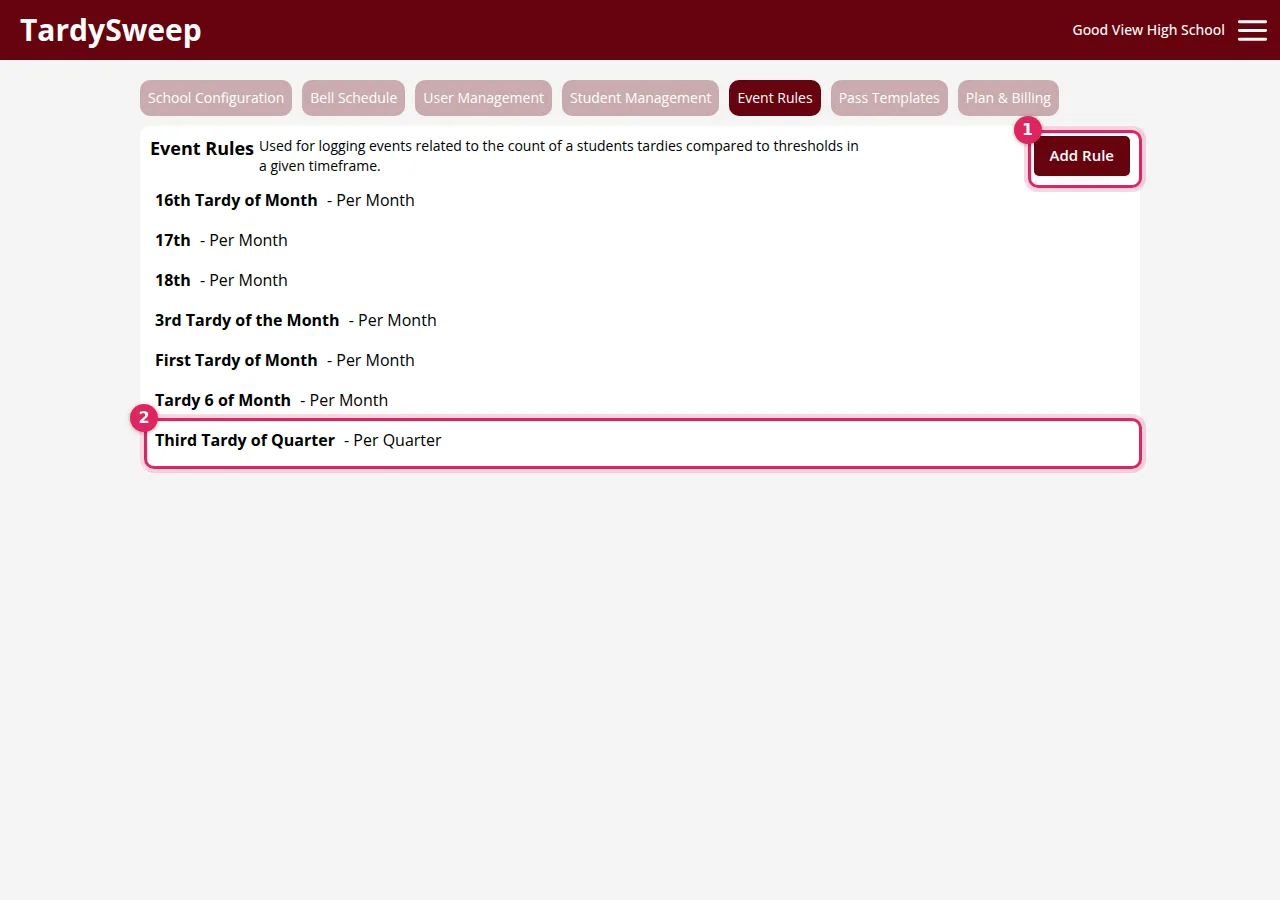
- Go to Admin → Event Rules and click Add Rule. To change a rule, click it in the list.
- Give the rule a Name staff will understand, like "Third Tardy of Quarter".
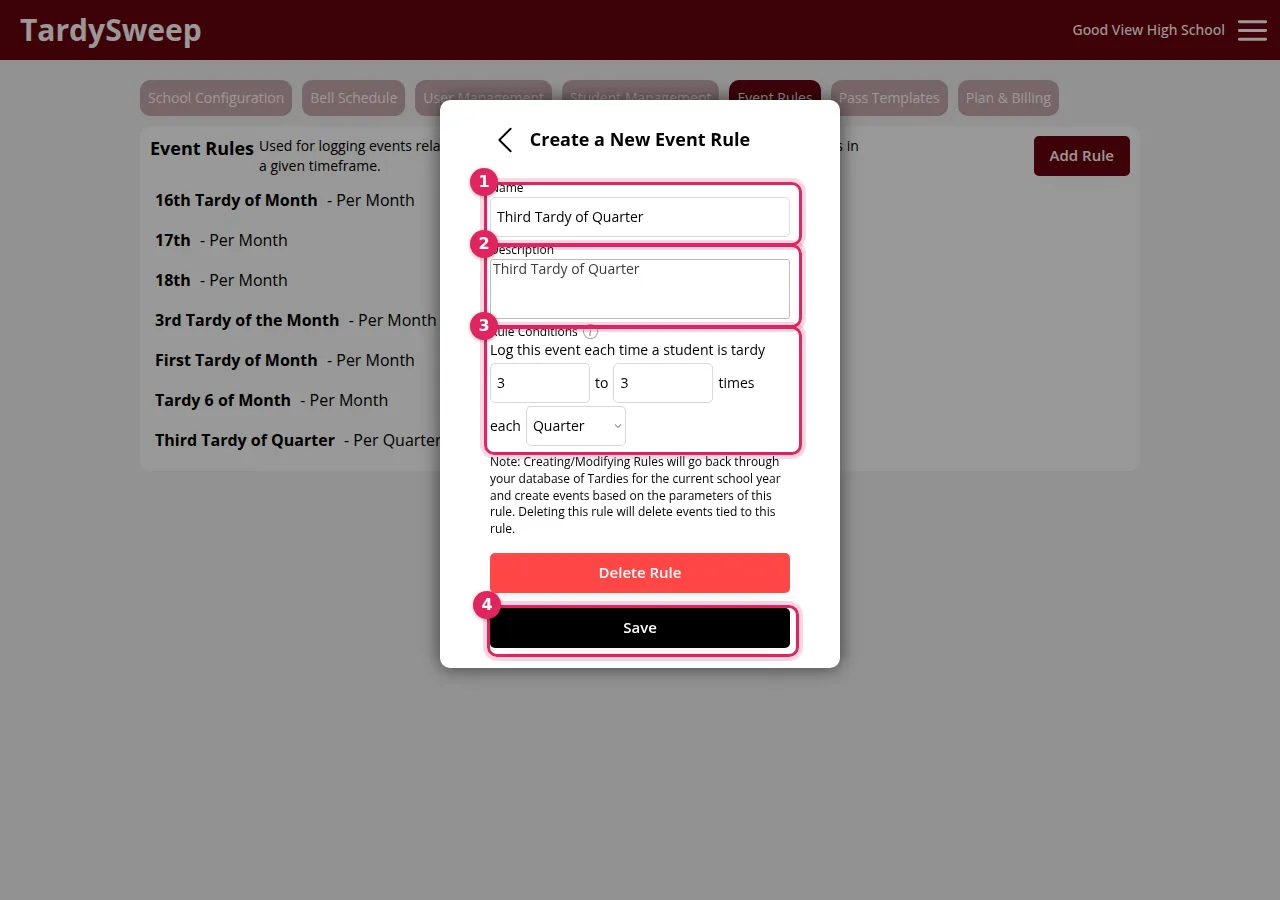
- In Description, say what should happen, for example "Student should report to lunch detention." Staff see this when the rule is triggered.
- Set the Rule Conditions: "Log this event each time a student is tardy X to Y times each Day / Week / Month / Quarter / Semester / Year."
- Click Save.
Examples
3rd tardy this quarter = warning: 3 to 3 times each Quarter
5 or more this quarter = detention: 5 to 99 times each Quarter
Tardies 1 to 3 this week: 1 to 3 times each Week. This records an event on the 1st, 2nd and 3rd tardy.
How to know it worked
The rule appears in the Event Rules list. In Reporting, choose Events under "What are you looking at?" to see which students have triggered it.
Was this helpful?
Thanks for the feedback!